Remove Text from Meme Templates and Keep Image Style
Use a focused remove text from meme workflow to delete top or bottom captions while preserving line art, gradients, and original template structure.
Supports JPG, PNG, WEBP
Before / After Comparison
Move the slider to compare before and after. Hover and drag horizontally to check edge quality.
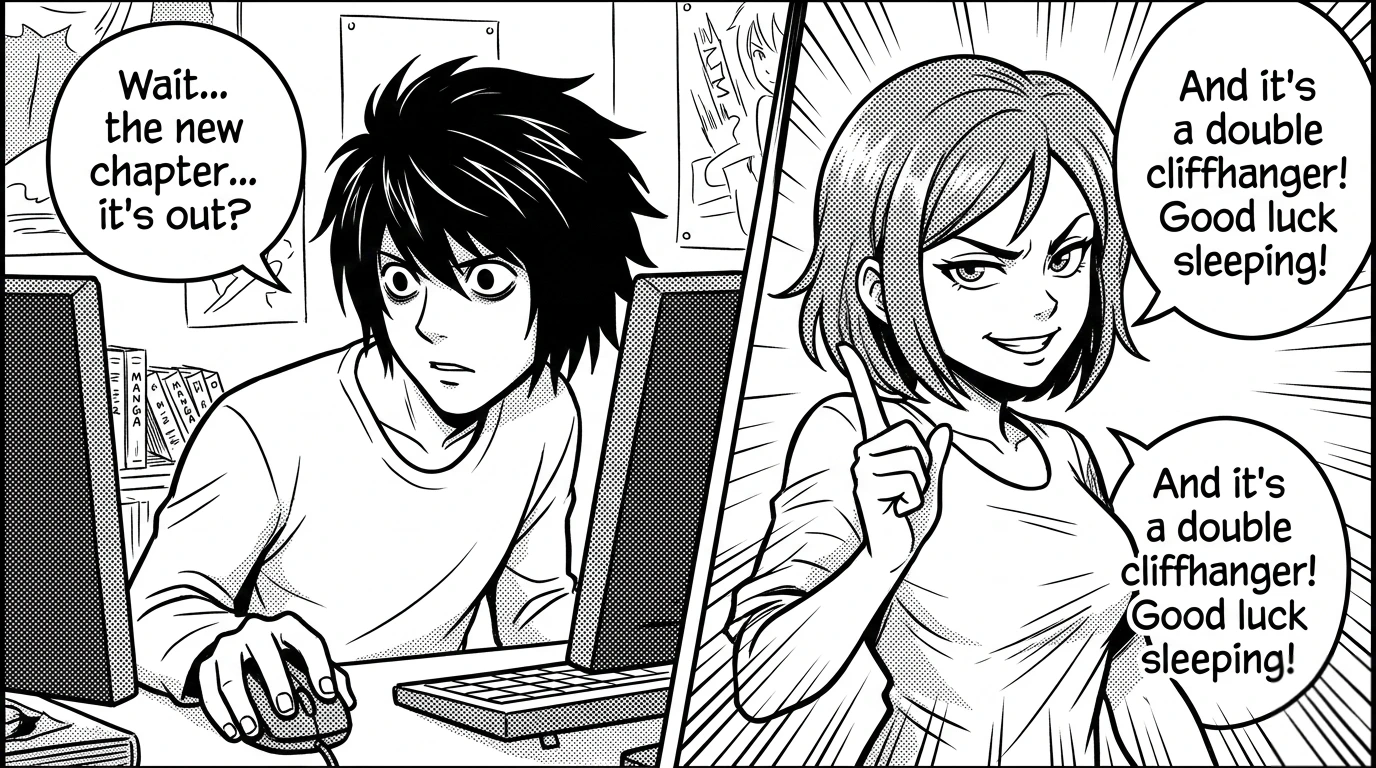
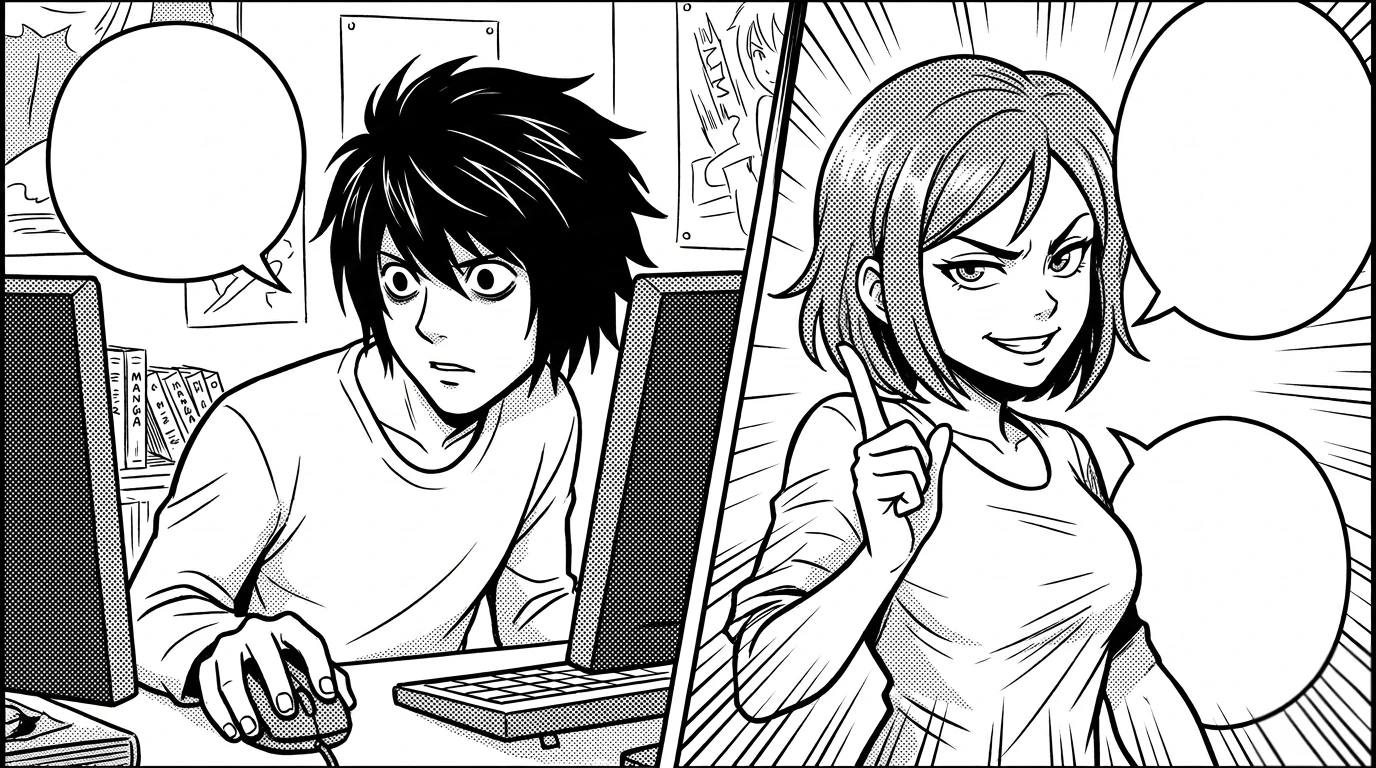
How To Remove Text From Meme Without Destroying The Template
If you need to remove text from meme images, the target is usually reuse. You already have a strong template, but the current caption is outdated, off-brand, or not relevant to your audience segment. Rebuilding the meme from scratch is inefficient when the core visual already works. The challenge is that meme text is often thick, high-contrast, outlined, shadowed, or compressed multiple times by reposting platforms. A practical remove text from meme workflow must handle all of that while keeping the template recognizable. This page uses a direct sequence: upload, auto-detect caption regions, inspect mask quality, refine where needed, and apply cleanup. For most templates, this clears the existing text quickly so you can re-caption with your own style.
Many teams underestimate how important consistency is in meme production. Social teams, community managers, and creator partnerships often generate many variants from one base image. If each variant uses a different cleanup process, quality drifts. A repeatable meme text cleanup routine keeps your library consistent. Automatic detection gives speed on common caption zones like top and bottom lines. Manual brush and eraser keep control for unusual layouts, sticker overlays, or rotated text. This combination is especially useful when repurposing old high-performing memes into new campaigns because you can keep the visual tone while replacing the message cleanly.
A typical failure mode is over-cleaning. When the mask covers too much surrounding area, key detail in facial expression, contour lines, or texture gets softened. This is critical in memes because emotional cues drive engagement. To remove text from meme assets cleanly, keep masks close to letters and run cleanup in short passes. Check eyes, mouth, and edge contrast after each pass, especially on low-resolution templates. If a region looks soft, undo, tighten the mask, and apply again. The editor workflow here supports that iterative method so you can protect the visual identity of the meme while removing text accurately.
Another common case is multilingual meme adaptation. A template originally captioned in one language must be reused across regions with new copy. In this scenario, meme text cleanup is the first step in a localization pipeline. Once old text is gone, design teams can reinsert translated text using brand-safe fonts, spacing, and contrast rules. This avoids awkward overlay-on-overlay artifacts that happen when new copy is added directly on top of old caption remnants. Cleaner base images produce cleaner localized variants and reduce revision cycles.
Compression artifacts can also make meme cleanup difficult. Reposted files often include block noise, haloing, and blurred edges around original text. Basic tools interpret those artifacts as background and leave residue. A stronger meme text cleanup approach combines automatic detection with manual refinement at zoom. You inspect the mask around anti-aliased edges, expand slightly where needed, and then apply cleanup. This is slower than one click, but still much faster than rebuilding assets manually. More importantly, it produces reusable templates that look intentional rather than patched.
The business value is straightforward: you can reuse proven meme visuals without carrying old caption baggage. That means faster campaign iteration, better message testing, and cleaner creative handoff between teams. The workflow on this page is designed for practical production, not one-off demos. You can run it daily with predictable output quality and minimal setup.
If your workflow depends on rapid social creative cycles, being able to remove text from meme templates reliably gives you leverage. Start with your top-performing meme assets, clean the existing caption layer, and rebuild variants with current campaign messages. You keep the visual familiarity audiences already respond to, while making the content new again in a controlled way.
More Cleanup Tools
Remove Logo from Image
Clean corner logos, brand badges, and embedded marks with auto detection plus refine.
AI Text Remover
Automatic text detection + manual refine in one editor session.
Erase Text from Image
One workflow for erase, delete, and remove text intent variants.
Remove Watermark
Remove logo-like overlays and transparent marks with cleanup controls.
Remove Object
Paint a custom mask to remove people, products, or distracting elements.
FAQ
Can this remove text from meme templates with heavy outline fonts?
Yes. Auto-detect handles the first pass, then brush and eraser can refine thick outlines and glow edges.
Will cleanup change facial expressions or key details?
Use tight masks and short passes. This preserves expression detail much better than large one-shot masks.
Is this useful for meme localization workflows?
Yes. Removing old captions first creates a clean base for translated copy and brand-consistent typography.
What if the meme image is low quality?
Low-quality files can still be cleaned, but zoom in and refine mask edges to reduce compression artifact leftovers.
Can I reuse the same session for multiple passes?
Yes. You can adjust mask areas, re-apply cleanup, and export improved versions without re-uploading.